> For the complete documentation index, see [llms.txt](https://docs.enable3.io/enable3/llms.txt). Markdown versions of documentation pages are available by appending `.md` to page URLs; this page is available as [Markdown](https://docs.enable3.io/enable3/getting-started/basic-setup/view-telegram-mini-app.md).
# View: Telegram Mini App
You don’t need an app to launch loyalty campaigns. Run a loyalty and engagement widget inside a Telegram Mini App, opened through a Telegram bot.
With a Telegram Mini App, users interact with the Enable3-powered experiences (Missions, Quests, Rewards, etc.) **within the Telegram interface** instead of a standalone website or mobile app.
{% hint style="success" %}
Telegram Mini Apps are especially effective as part of acquisition funnels built around community platforms such as:
* Telegram/Discord channels
* YouTube channels
* Influencer communities on social media platforms (e.g., Instagram)
* Third-party marketplaces (e.g., Etsy, Redbubble)
These environments already drive user attention and traffic. By connecting them to a Telegram bot, you can convert passive audiences into active participants in your engagement campaigns.
{% endhint %}
### Why Use Telegram Mini App
#### Case #1: You don’t have a dedicated app for your products/services
**Problem**: You sell your products or services through an Etsy shop, Instagram page, or a Telegram channel. What matters is – you can’t add a loyalty widget to the app or webpage itself, but still want to engage with your customers better.
**Solution**: Enable the Telegram Mini App so your customers can participate in a loyalty program without downloading any additional apps.
**How it works**: You share a link to the Telegram bot with the customers, they interact with it, and open the loyalty widget inside the Telegram app.
**How to do it**: Configure the Telegram Mini App option in your Enable3 admin panel.
**Outcome**: You strengthen your customers’ loyalty, improve retention, and boost conversion by supplying them with an easy way to participate in your loyalty program.
#### Case #2: Your customers are active Telegram users
**Problem**: Your customers open their messaging app multiple times a day, every day. Your app? Not so much.
**Solution**: Gently guide your customers toward your web or mobile app by getting them started with a loyalty campaign in an already familiar environment. Enable the Telegram Mini App so your customers can participate in a loyalty program without friction.
**How it works**: Share a link to the Telegram bot with the customers. They interact with it and open the loyalty widget inside the Telegram app. Customers get used to interacting with your brand, and are more likely to accomplish Missions tied to logging into your app if they see a clear motivation.
**How to do it**: Configure the Telegram Mini App option in your Enable3 admin panel.
**Outcome**: By meeting your customers where they are, you’ll strengthen your relationship with them. Afterwards, with cleverly configured Missions and Quests, you’ll be able to steer them in the direction of your own app or website.
#### 🎯 Telegram Mini App benefits
* No app installation required (runs directly inside Telegram) → **Low onboarding friction**
* Access through a familiar messaging environment users already open frequently → **Increased engagement frequency and higher repeat interactions**
* Bot links can be distributed instantly via Telegram channels, communities, and social media → **Faster campaign launch and broader reach without additional distribution infrastructure**
* Telegram bot handles communication while the Mini App handles interactive UI → **Ability to combine conversational messaging with complex loyalty mechanics**
* Integration requires only connecting a bot API token instead of building a separate mobile product → **Reduced development cost and faster time-to-market**
* Enable3 can host the Telegram server infrastructure by default → **Minimal operational workload for your team**
### Telegram Mini App Capabilities
Widget-based experience inside Telegram
The Enable3 loyalty interface runs as a widget inside a Telegram Mini App opened through a Telegram bot. Users interact with Missions, Quests, Rewards, and campaigns without leaving the Telegram app.
Flexible hosting options
The Telegram Mini App can be deployed in two ways:
1. Enable3-hosted setup: fastest launch with minimal technical work
2. Self-hosted setup: run the Mini App infrastructure on your own server for full control
Automatic language detection
The Mini App automatically adapts to the language set in the user’s Telegram messaging app if this language is enabled in the Localization settings.
Audience segmentation
All Enable3 Segmentation capabilities remain available. Meaning, you can target different user groups with different campaigns.
Learn more about SegmentationTelegram message templates
Predefined templates help structure Telegram bot messages and campaign flows.
Customization options
You can customize how the Widget will look inside Telegram (set your brand images and colors, choose the desired fonts, etc.), configure the loyalty mechanics and reward logic.
Testing environments
You can create testing environments in Enable3 to safely test Telegram campaign flows before launching them to production.
Bot appearance configuration via BotFather
Bot name, description, commands, and button naming are configured directly in Telegram using BotFather.
### How to Set Up a Telegram Mini App
1. **Ask your Enable3 contact to enable the Telegram Mini App feature for your account.**
Once they do it, you’ll see the Telegram option appearing in your Basic Setup section under the View Type tab.
Click it to continue.
2. **Create a Telegram bot.**
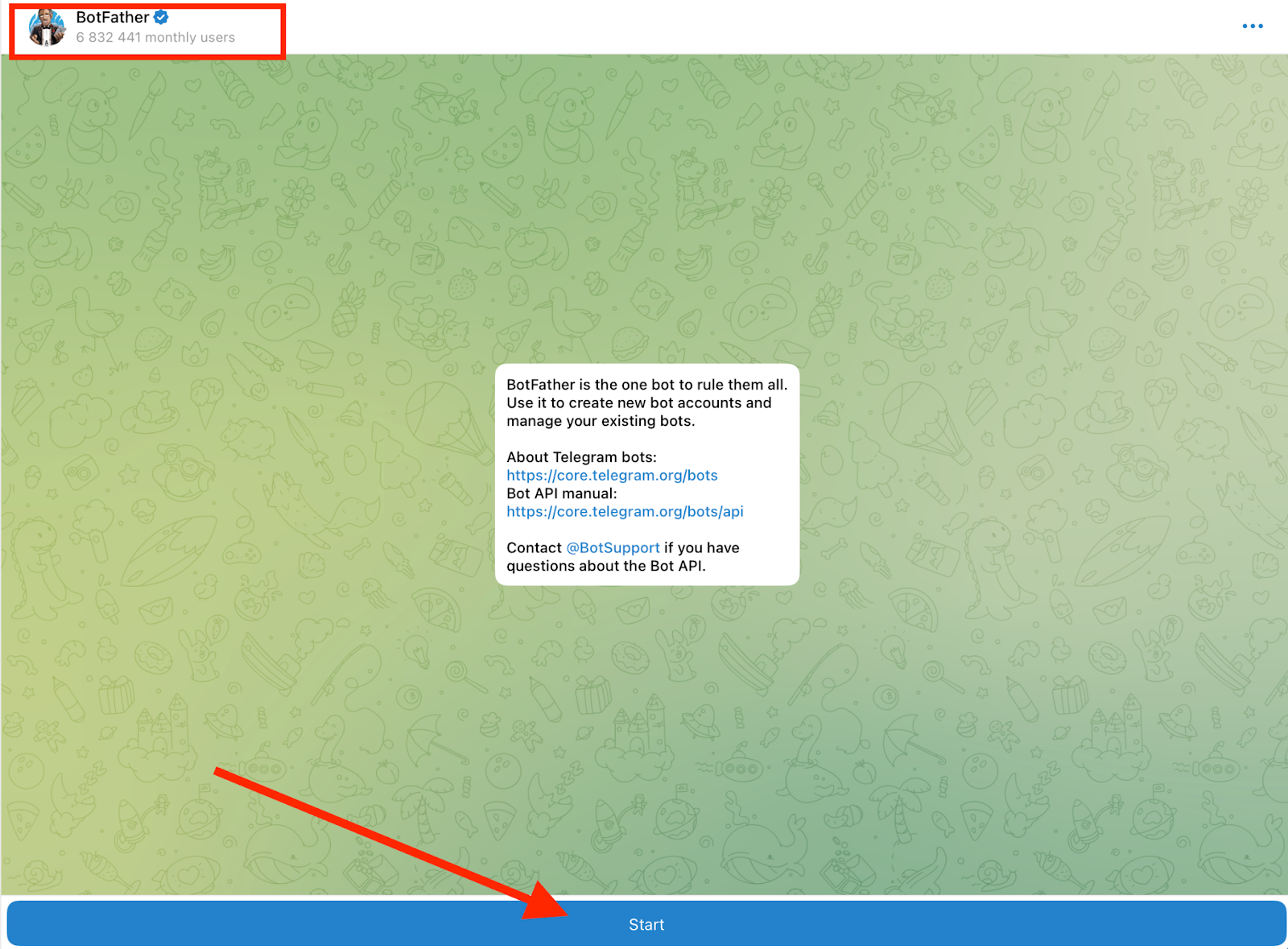
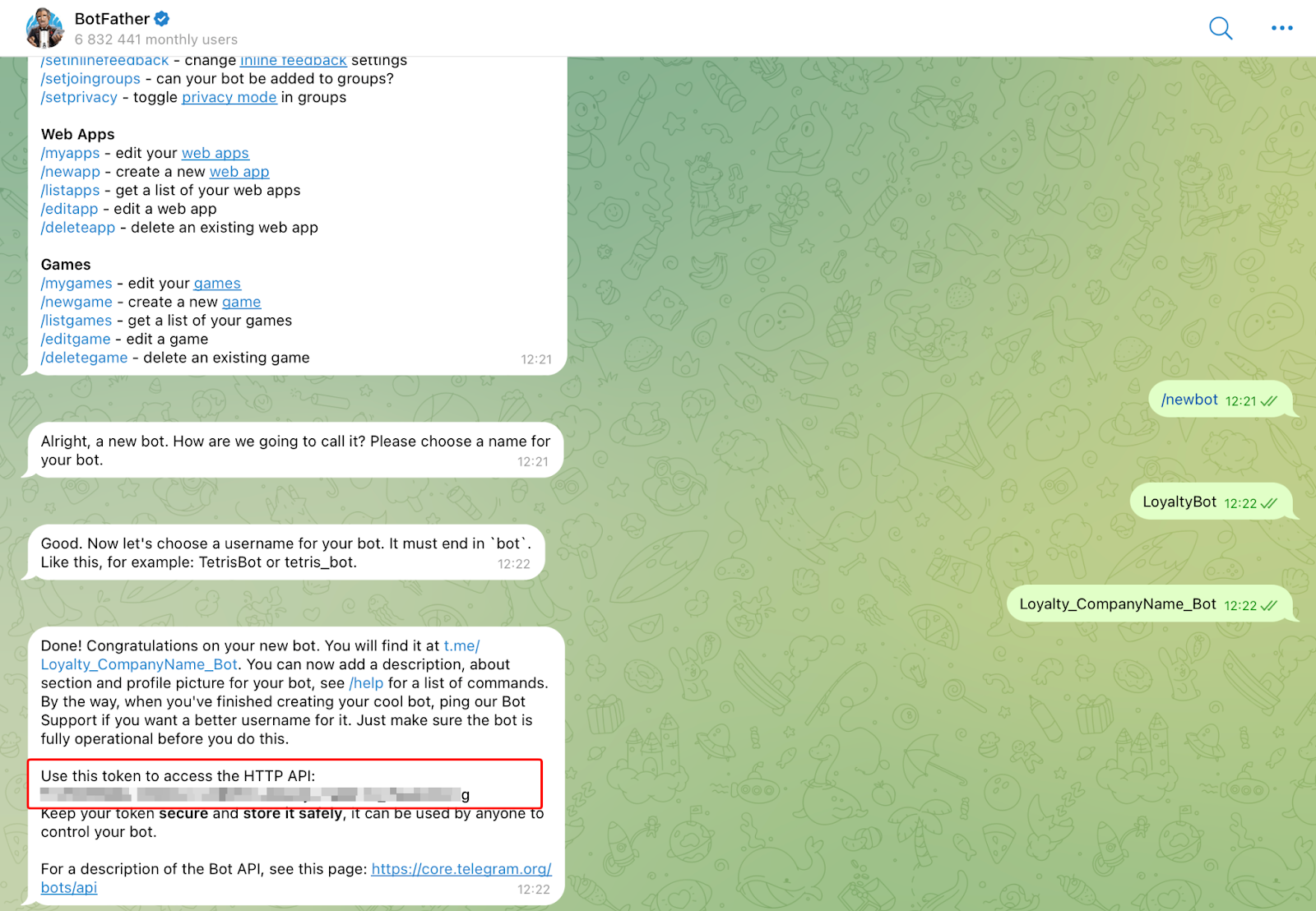
Go to @BotFather in Telegram and create or select your bot.
Go through the steps BotFather guides you through. At the end, you’ll receive an API token.
Copy the API Token generated by BotFather.
3. **Configure Telegram Settings in the Enable3 Admin Panel.**
Go to the Basic Setup page, View Type section, then to Telegram Settings.
Paste the API token.
Click Save.
If the token is valid, the system will confirm a successful connection.
4. **Choose a hosting mode.**
Here, you’ll have two options:
***Option A.*** Launch Telegram server (default). If you choose this option, Enable3 will host the Telegram Web App infrastructure. Meaning, you can just start using it right away – no additional setup needed.
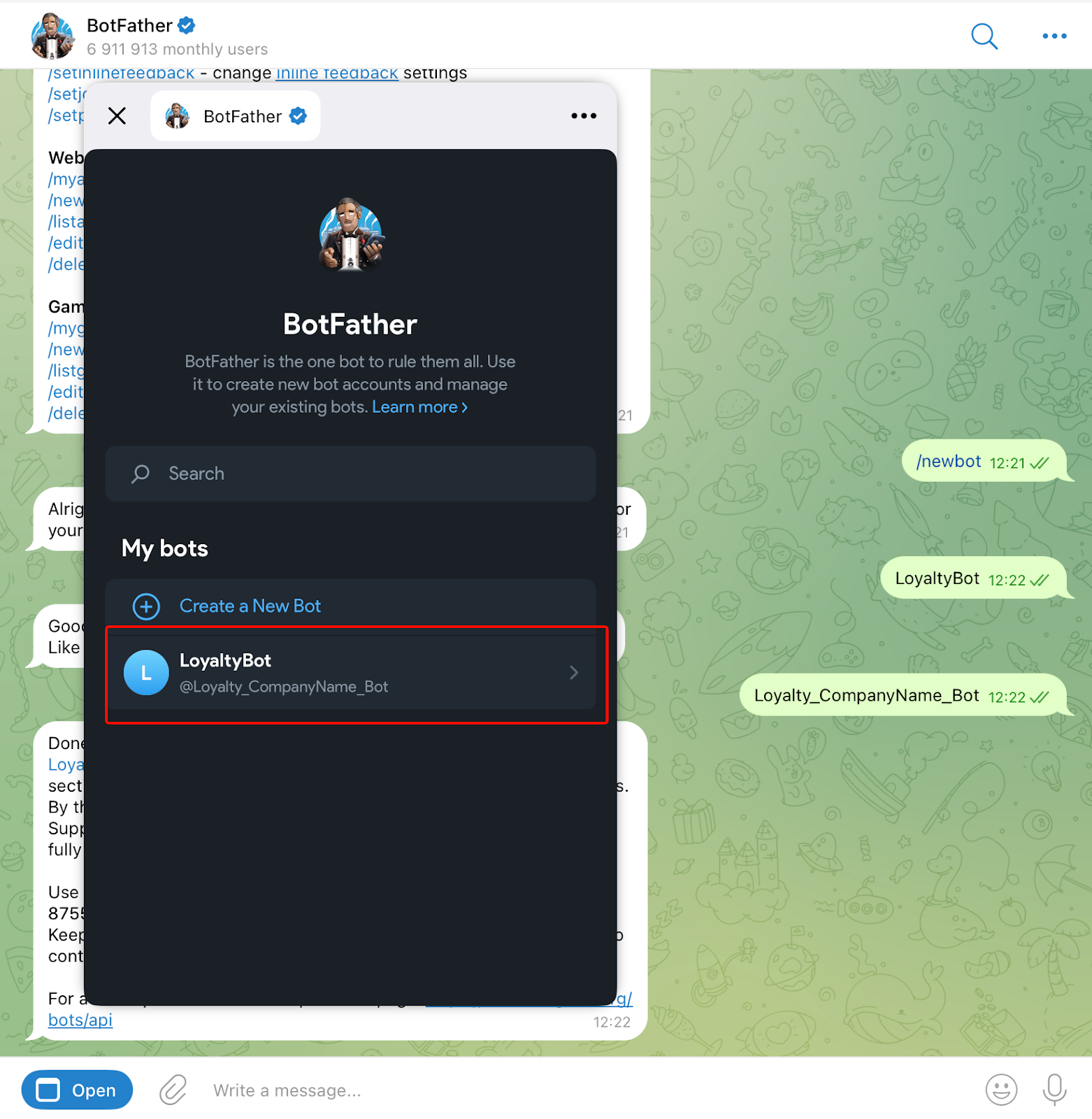
Go to the BotFather’s menu and select your loyalty bot. There, you’ll be able to customize your bot – set the picture, name, description, welcome message, and more.
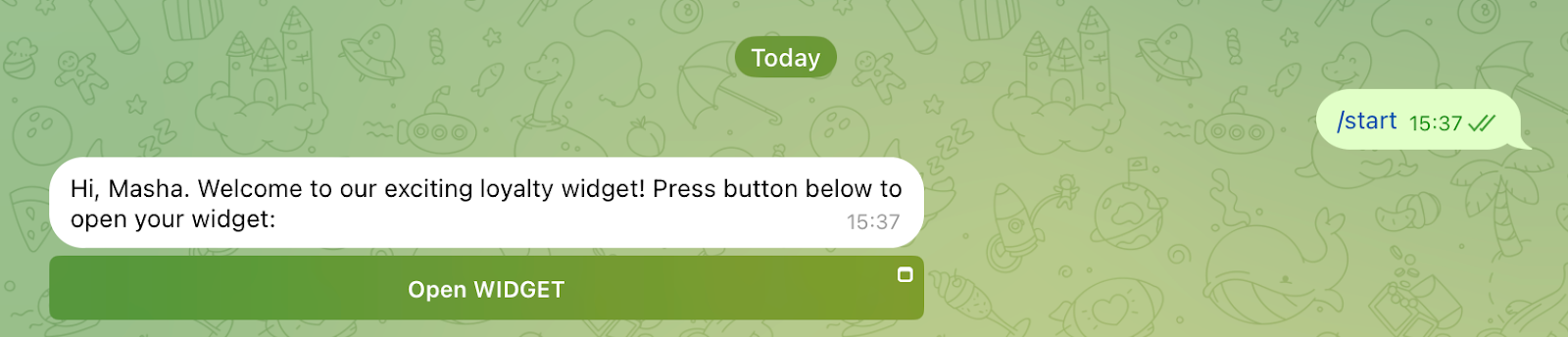
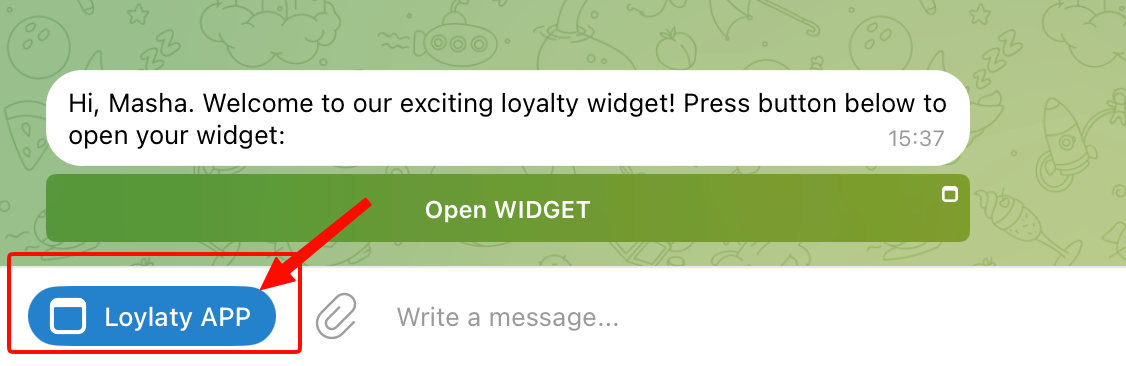
After that, all you have to do is share the link to the bot with a user. After visiting the bot and clicking Start, the user will be able to open the Loyalty Widget inside Telegram.
{% hint style="info" %}
The bot will default to the user’s name used in Telegram and the user’s set language.
{% endhint %}
***Option B.*** Use my own server. If you choose this option, an additional field will appear, containing a URL used to retrieve an iframe for embedding the Mini App.
Copy the URL and click Save.
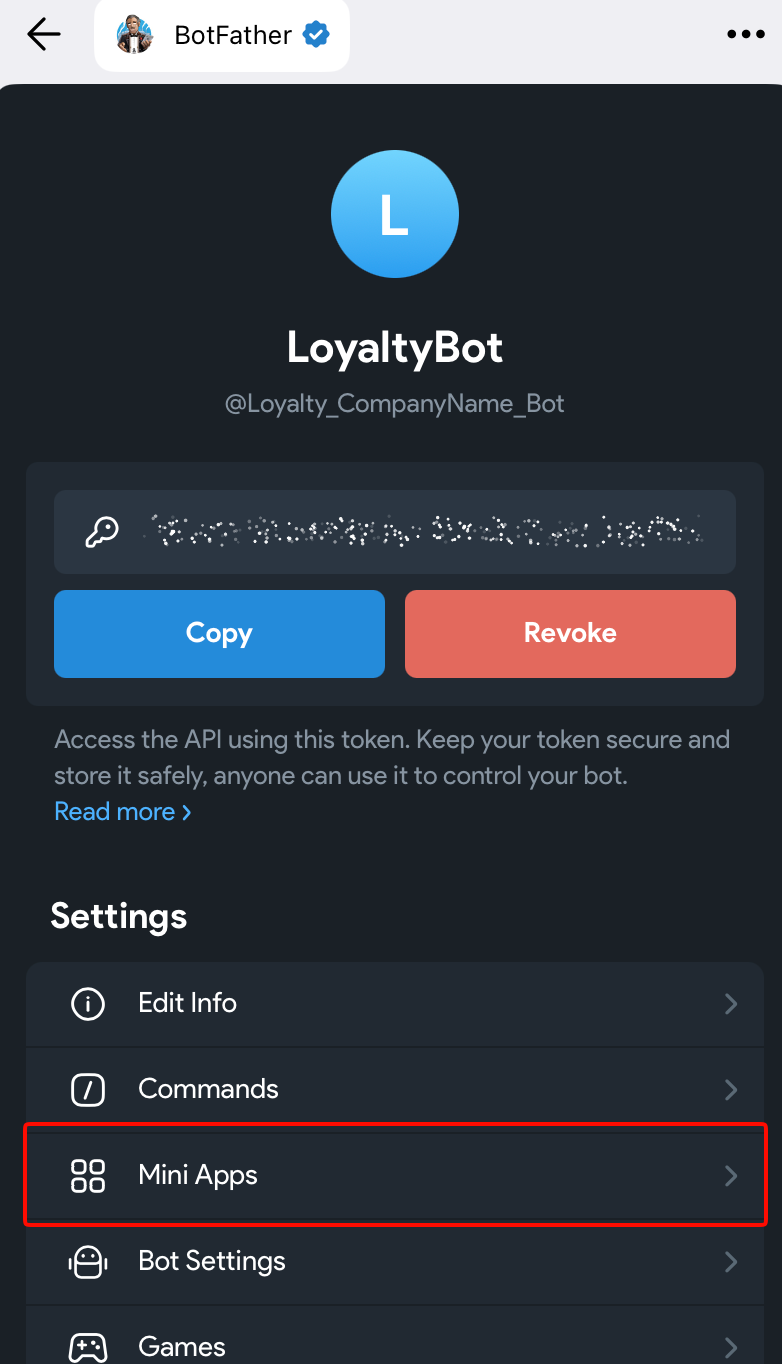
Now, open the BotFather’s menu and select your loyalty bot.
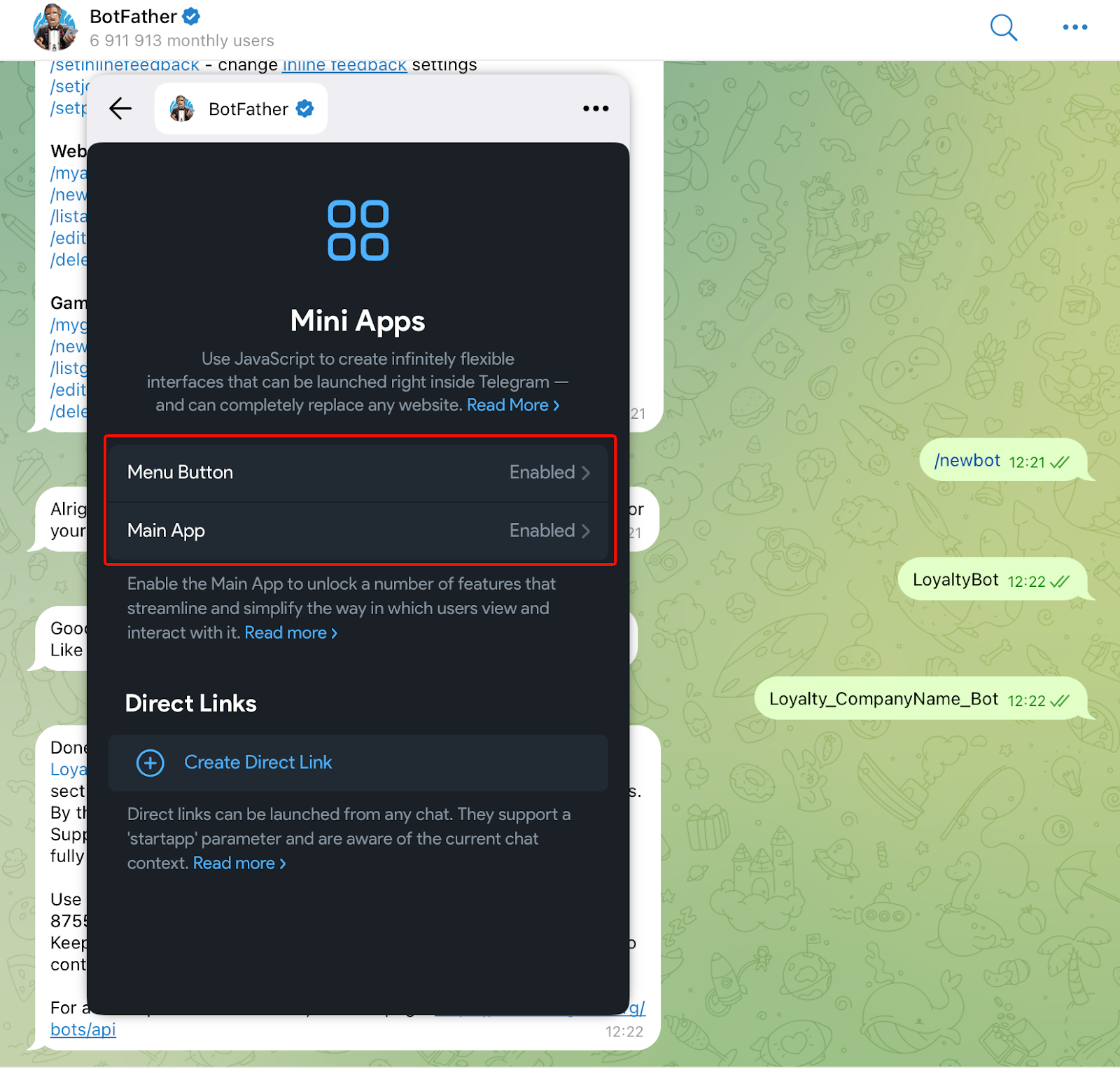
Under your loyalty bot’s Settings, go to the Mini Apps section.
There, you can configure other ways for the user to open the Widget.
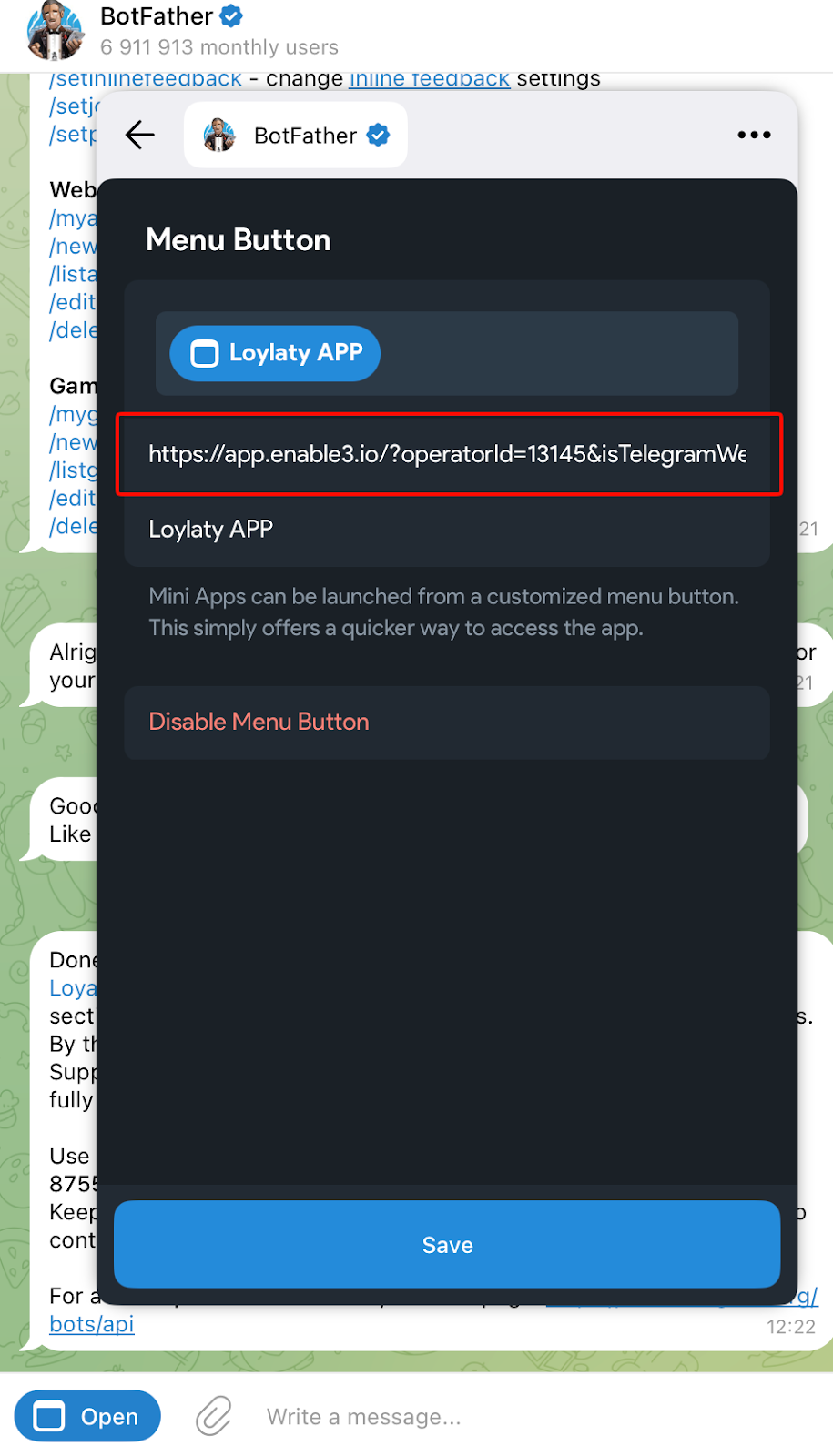
If you enable the Menu Button, users will be able to open the Widget from the bot’s menu, without needing to click Open WIDGET.
To enable the Menu Button, paste the copied URL in the provided field and configure the button’s name. Then, click Save.
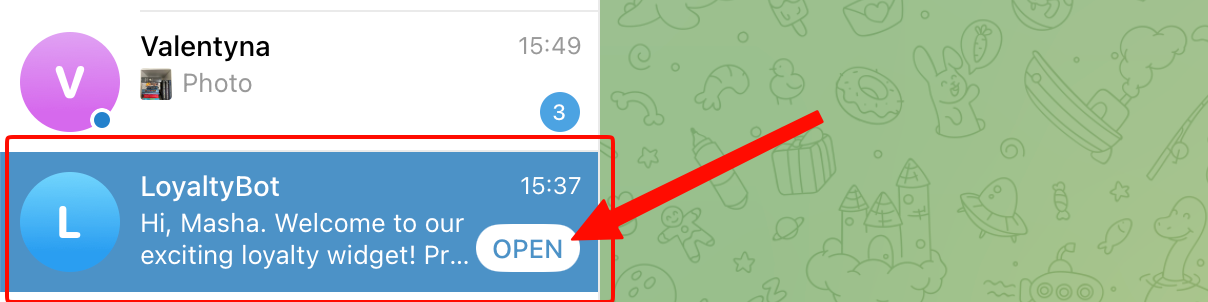
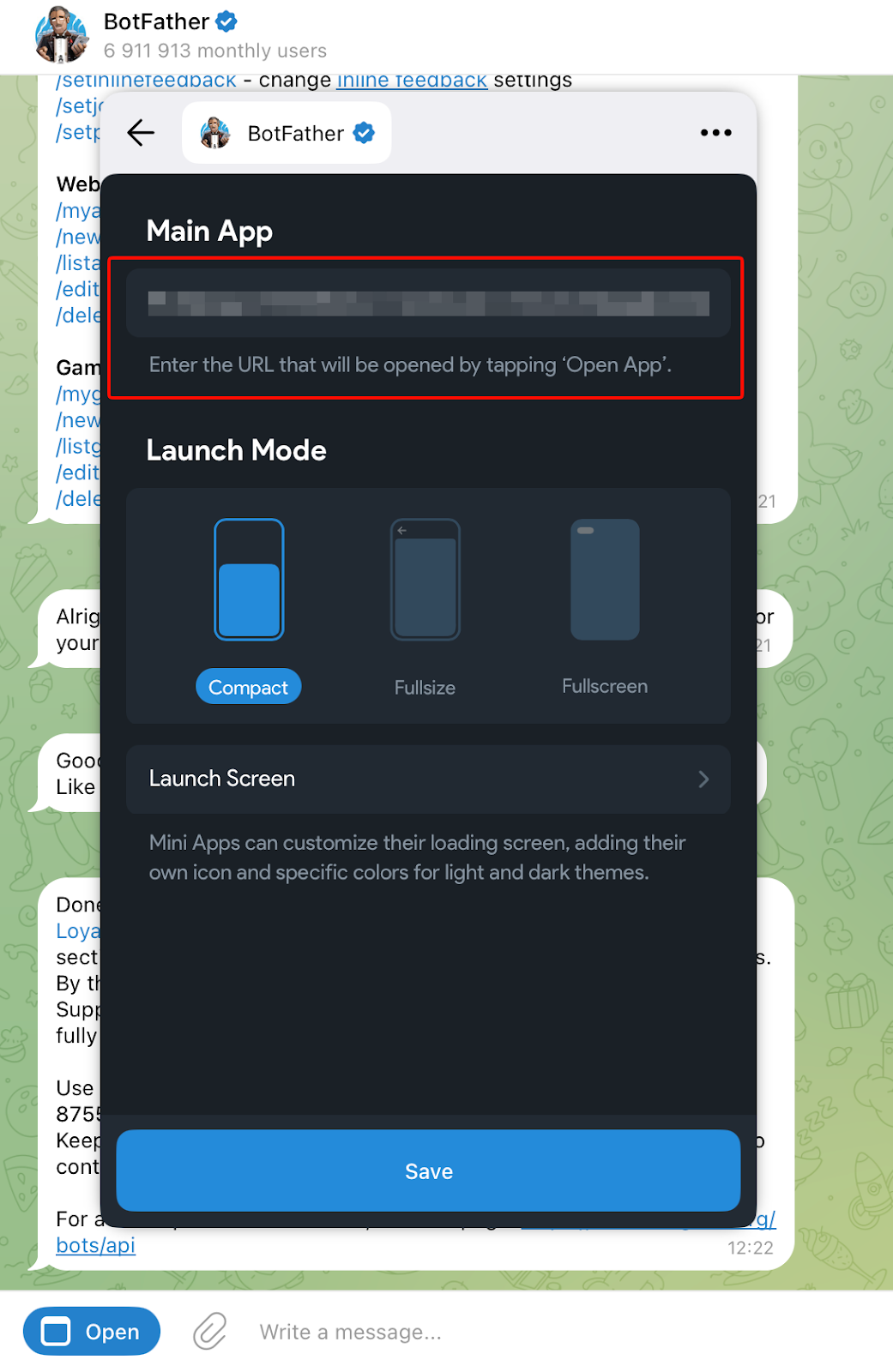
If you enable the Main App, they will be able to open the Widget right from the Telegram Chats section.
To enable the Main App, paste the copied URL in the provided field and configure the launch mode’s settings. Then, click Save.
Congratulations, you’re all set!