> For the complete documentation index, see [llms.txt](https://docs.enable3.io/enable3/llms.txt). Markdown versions of documentation pages are available by appending `.md` to page URLs; this page is available as [Markdown](https://docs.enable3.io/enable3/leaderboard.md).
# Leaderboard
The Leaderboard feature allows users to view their standing in a points-earning activity within the platform. It is divided into two distinct tabs: "General" and "Friends," providing both a competitive and social aspect to the user experience.
### Feature Description
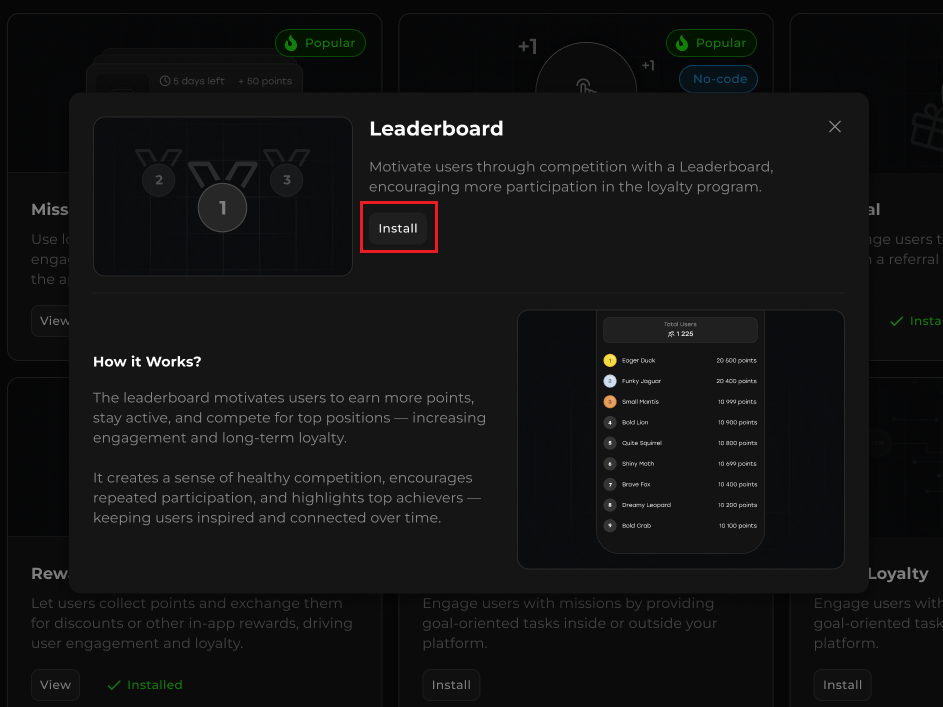
To install the Leaderboard feature, go to the corresponding section in the Admin Panel, select the Leaderboard card, and click Install.
My Widget section, Leaderboard card
After installing the feature, in the Missions tab on the widget, a Leaderboard banner will appear displaying the user’s current position in the general leaderboard.
Leaderboard banner
> The Leaderboard banner will be displayed for users who have earned at least 1 point.
When clicking on the banner, the user will be redirected to the Leaderboard section.\
The user can also navigate to the Leaderboard section by clicking on the kebab menu in the header and selecting Leaderboard.
Leaderboard section in kebab menu
The **Leaderboard section**
* **General** tab
* **Friends** tab
### General Tab
When opening the Leaderboard section, the General tab is selected by default.
General tab in Leaderboard Section
The General tab displays the following data:
* **Total Users** block, showing the total number of users in the leaderboard who have earned at least 1 point.
* A **list of the top 100 users** by earned points, and below that — the current user’s position.
* Statistics of **earned loyalty points** and the user's **position** on the leaderboard among the entire user base.
* **Current username** of the user and other participants on the platform.
**Transaction Types Counted in the Leaderboard**
To determine a user’s place on the leaderboard and calculate the total number of points earned by the user, we use a formula that takes into account and sums the number of points earned for the following activities:
* +Missions Earn (any type of missions)
* +Quest
* +Tap to Earn reward
* +Hold to Earn reward
* +Referral Reward
* +Manual In
* -Manual Out
{% hint style="info" %}
If the user spends their points on redeeming a reward, purchasing a tier, or withdrawing them to an external wallet (in the Web3 case), their position on the leaderboard does not decrease, since **the leaderboard is based on the total amount of points earned by the user, not their balance.**
{% endhint %}
### Friends Tab
When navigating to the Friends tab, the user will see the following data:
* **Total Users** block, displaying the number of valid invited referrals.
* A **list of referrals** the user has invited to the platform, as well as their position among referrals based on the total amount of points earned.
* The **total amount of points earned by the referrals** they have invited to the platform.
* The user's username, as well as the referral usernames.
Friends tab in Leaderboard section
> * Only valid referrals will be displayed in the list — those **who have completed the condition set in the referral program**.
> * If no condition was set, then all users who entered the **invitation referral code** will be displayed.
In case of Referral Reward Type: Ref Share, in Friends tab will be displayed only direct referrals (Tier 1).
**If the user hasn’t invited any referrals**:
* The Total Users block will show 1, counting only the current user.
* The **Friends** tab will display an **Invite Friends** button. Clicking it will redirect the user to the **Referral** section.
Invite Friends button on Friends tab
{% hint style="info" %}
* The calculation of earned points by users starts from the moment the feature is enabled.
* **Leaderboard data is refreshed once per 10 minutes.**
* If the feature is disabled and then enabled again, the system will remember the number of points earned by users before it was turned off, and after enabling it again, continue counting from the amount recorded before the feature was disabled.
* All points earned by users while feature is disabled will not be counted in the Leaderboard.
* A user who was blocked in the admin panel will not be displayed in the leaderboard.
* At the moment, there is **no self-serve option to reset the Leaderboard** to start a new competitive season directly from the Admin Panel. Don't hesitate to **get in touch with the Enable3 representative to reset it** on your behalf.
{% endhint %}